
This November, we focused on making production and location management more flexible. You can now adjust actual material usage in production runs, pull materials from different storage locations, and view inventory across all locations at once.
Adjusting Actual Usage
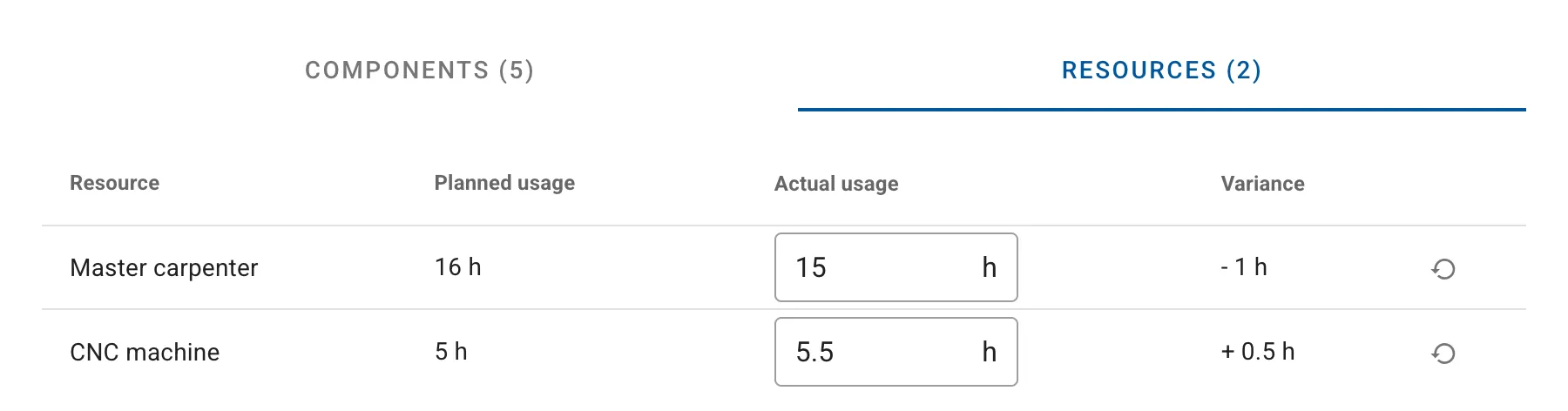
Production cards now include an Adjust Usage button that lets you modify the actual quantities of materials, products, and resources used.
Previously, materials were consumed strictly according to the bill of materials. If actual usage differed from what was planned, you had to create a separate write-off operation. Now you can adjust the usage of any material, product, or resource directly in the production run — both increasing and decreasing quantities as needed.
As this functionality now handles usage adjustments directly in production, the ability to link separate write-off transactions to production will be discontinued on January 1, 2026.
Detailed instructions on adjusting usage in production are available in our help center.
Pulling from Different Storage Locations
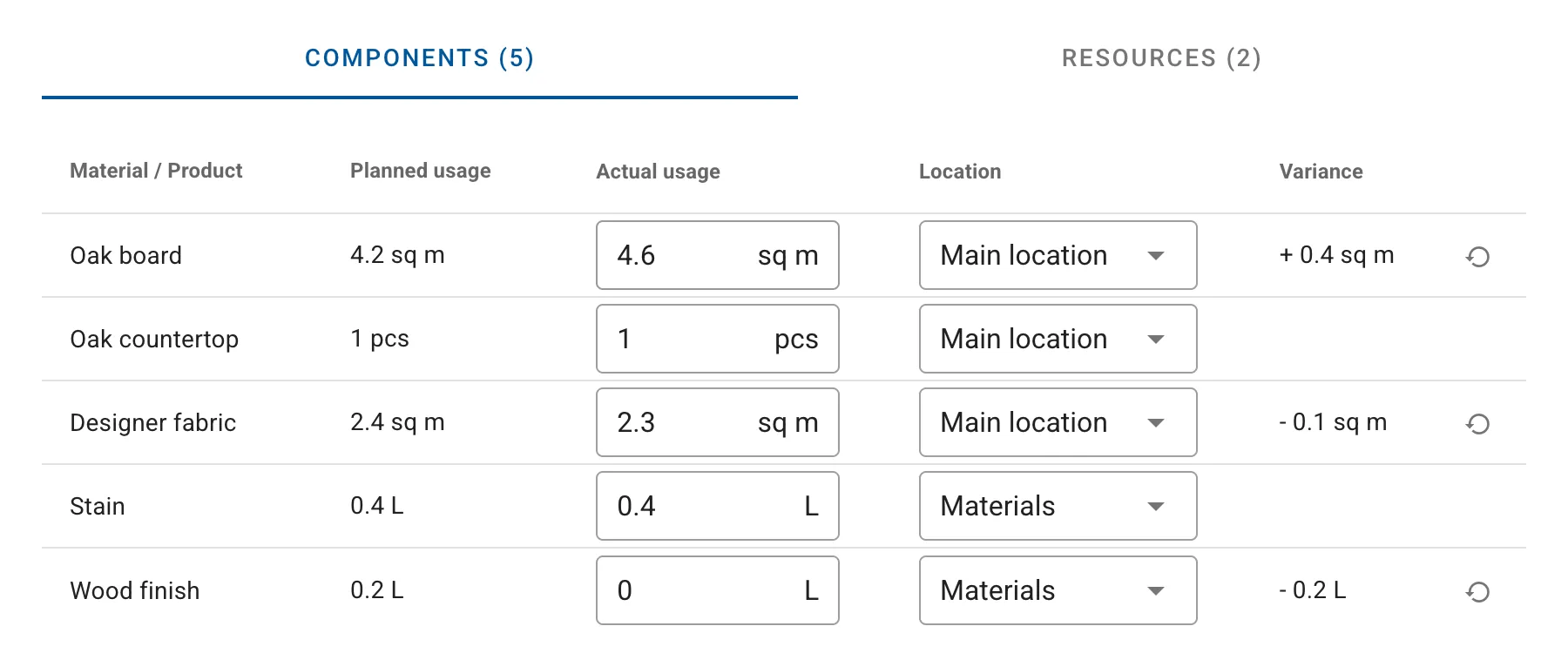
You can now manually specify the storage location for each material or product used in production. This is useful when materials for a single production operation are stored across different locations.
For example, if your main materials are in the primary storage location while packaging supplies are in a consumables storage location, you can pull them from their respective locations within a single production transaction.
Automatic Storage Location Selection
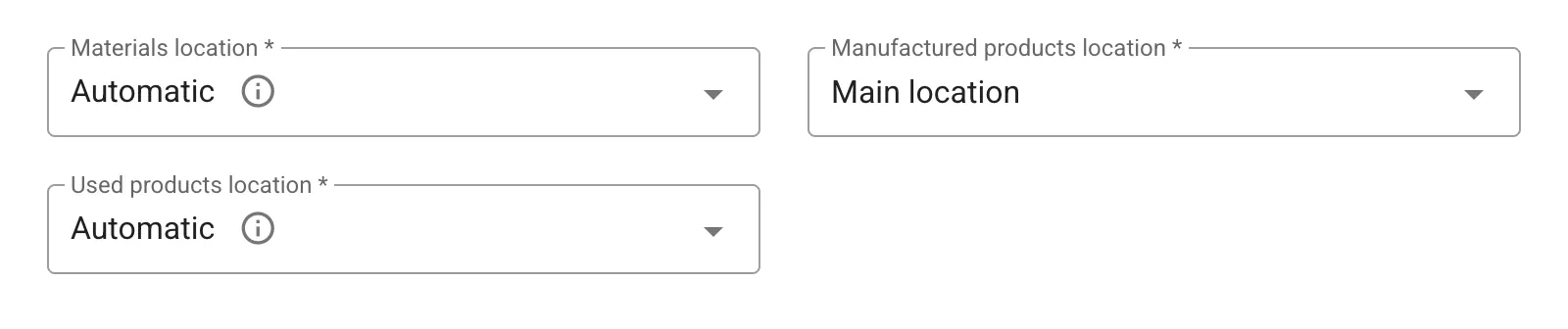
Production transactions now offer automatic storage location selection. The system will determine which storage location stores each material or product being used.
If a material is available in multiple storage locations, the system automatically selects the location with the largest stock. This saves time when creating production transactions and helps avoid insufficient stock situations at the selected storage location.
Learn more about automatic storage location selection in our help center.
Inventory Across All Storage Locations
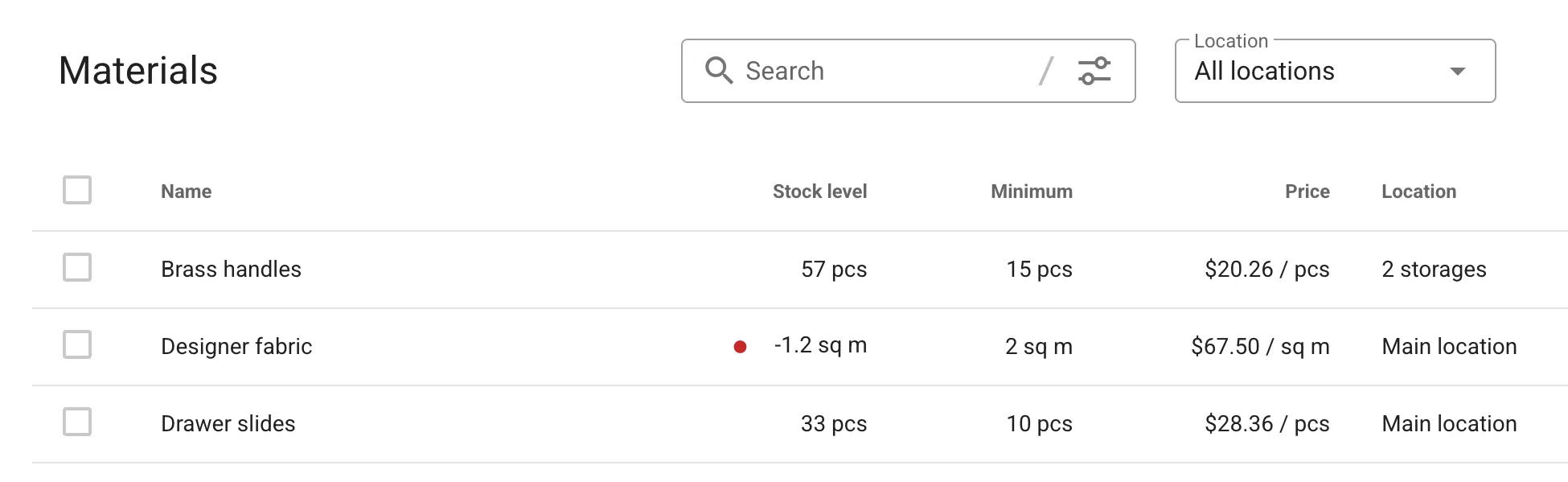
The materials and products screens now let you display inventory across all available storage locations simultaneously. When enabled, the list shows combined stock levels for each material or product across all locations.
This is convenient for quickly assessing total inventory without switching between storage locations or opening individual item cards.
Missing Something?
We’re all ears! If there’s a feature you need, submit your idea in our ideas portal. Ideas with strong community support have the best chance of making it onto our roadmap and into future releases.